目前感觉良好。顺便用了用Visual Studio Code,感觉也良好。
用上次改造的docker image,接着试试看ASP.NET Core MVC例子。偏重于环境,具体里面的代码的东西就没兴趣了。
用上次改造的docker image,接着试试看ASP.NET Core MVC例子。偏重于环境,具体里面的代码的东西就没兴趣了。
启动.net core开发用的docker容器
用-v选项使容器和本机共享某个工作目录。
$ cd 某工作目录
$ docker run -it -v $PWD:$PWD -w $PWD -p 5000:5000 -h VLINUX osexp2000/dnetcore
-v $PWD:$PWD表示把当前目录映射到容器里同样的路径, -w $PWD表示容器里的工作目录设定在指定的当前路径。 -p 5000:5000表示把容器里的Docker Toolbox里的port 5000映射到容器里的5000,这是容器里Web Server侦听的端口。 --it表示交互式终端, 这样就可以从本机通过Docker Toolbox的Host-Only型网卡的地址来访问这个端口,也就是近一步通向容器里的WebServer了。 -h VLINUX无所谓,纯粹为了显示一个好看的主机名字,不然命令行提示符里的名字是随机id看不懂。
在Windows上时,这些命令从Docker Toolbox的命令行里执行,不然$PWD之类的东西不行。
用yeomen生成一个aspnet的模版工程
yeomon是个工程脚手架生成器,搞不好是从ruby on rails的那个生成器里受启发搞的。想不到这东西也能流行,真是 找准了需求,也好,省得东找西找。
$ dev_user@VLINUX:/Users/q/tmp/dnetcore_test$ yo aspnet
...然后就是菜单,时用上下键选择,然后就是一堆输出。
...Type选择Web Application,Web Application Name输入WebApp1。
? What type of application do you want to create? Web Application
? Which UI framework would you like to use? (Use arrow keys)
? Which UI framework would you like to use? Bootstrap (3.3.6)
? What's the name of your ASP.NET application? WebApp1
   create WebApp1/Dockerfile
   ...
   create WebApp1/appsettings.json
   ...
   create WebApp1/bundleconfig.json
   create WebApp1/Program.cs
   create WebApp1/project.json
   ...
   create WebApp1/Startup.cs
   create WebApp1/Controllers/AccountController.cs
   ...
   create WebApp1/Data/Migrations/00000000000000_CreateIdentitySchema.Designer.cs
   ...
   create WebApp1/Data/ApplicationDbContext.cs
   create WebApp1/Models/ApplicationUser.cs
   create WebApp1/Models/AccountViewModels/ExternalLoginConfirmationViewModel.cs
   ...
   ...
   create WebApp1/Properties/launchSettings.json
   create WebApp1/Services/IEmailSender.cs
   ...
   create WebApp1/Views/_ViewImports.cshtml
   ...
   create WebApp1/Views/Account/ConfirmEmail.cshtml
   ...
   create WebApp1/Views/Shared/_Layout.cshtml
   ...
   create WebApp1/wwwroot/css/site.css
   ...
   create WebApp1/wwwroot/js/site.js
   ...
   create WebApp1/web.config


I'm all done. Running bower install for you to install the required dependencies. If this fails, try running the command yourself.


bower bootstrap#3.3.6       not-cached https://github.com/twbs/bootstrap.git#3.3.6
...
还好吧。Controller什么的,翻了一下代码很符合想象,和SpringBoot差不多的感觉。不过旧的ASP.NET MVC没用过,这个cshtml在Xamarin里看过,就是一文字列替换模版。 (觉得连server端的MVC都不需要了,后端前端完全分开,后端就提供一个REST Web Service给前端html那边的ajax之类的调用就行了,工程都不需要放在一起)。
咋地都行吧,我只想看看用它做个REST Web Service好不好用就行了。
安装工程关联库
相当于npm install了。
dev_user@VLINUX:/Users/q/tmp/dnetcore_test$ cd WebApp1/
dev_user@VLINUX:/Users/q/tmp/dnetcore_test/WebApp1$ dotnet restore
log  : Restoring packages for /Users/q/tmp/dnetcore_test/WebApp1/project.json...
...
log  : Installing NuGet.Configuration 3.5.0-beta2-1484.
...
log  : Installing Microsoft.VisualStudio.Web.CodeGeneration.Utils 1.0.0-preview2-final.
...
log  : Installing System.IO.Pipes 4.0.0.
...
log  : Installing Microsoft.AspNetCore.Routing.Abstractions 1.0.0.
...
log  : Installing Microsoft.AspNetCore.Server.IISIntegration 1.0.0.
...
log  : Installing Microsoft.AspNetCore.Server.Kestrel 1.0.0.
...
log  : Installing Microsoft.AspNetCore.Mvc 1.0.0.
...
log  : Installing Microsoft.EntityFrameworkCore.Tools 1.0.0-preview2-final.
...
log  : Installing Newtonsoft.Json 6.0.4.
...
log  : Installing Microsoft.Extensions.PlatformAbstractions 1.0.0.
...
log  : Installing Microsoft.AspNetCore.Hosting.Abstractions 1.0.0.
...
log  : Installing Microsoft.AspNetCore.Http 1.0.0.
...
log  : Installing SQLite.Native 3.12.2.
...
log  : Installing Microsoft.AspNetCore.Mvc.Razor 1.0.0.
...
log  : Installing Microsoft.Extensions.Caching.Memory 1.0.0.
...
log  : Installing Microsoft.Data.Sqlite 1.0.0.
...
log  : Installing Microsoft.AspNetCore.Hosting.Server.Abstractions 1.0.0.
...
log  : Installing System.Interactive.Async 3.0.0.
...
log  : Installing System.Net.WebSockets 4.0.0.
...
log  : Restore completed in 34276ms.
随便看了一些log,有一些是.NET Framework 4.6里就有的东西,例如System.Net.WebSockets。 频繁的和Newtonsoft,Razor等怪名字的东西相关,不知道JSON这么那个的东西居然用Newtonsoft.JSON。Razor这东西似乎是cshtml那个。 还看到有IISIntegration,后来翻了其他的设定文件,的确有发布到IIS里的设定。
运行这个Server App
要加个参数"--server.urls" "http://0.0.0.0:5000",不然只侦听容器里localhost的端口。 这个在dotnet的命令行帮助里可没提到。另外估计某个设定里也应该能改吧。
dev_user@VLINUX:/Users/q/tmp/dnetcore_test/WebApp1$ dotnet run "--server.urls" "http://0.0.0.0:5000"
...
Bundling with configuration from /Users/q/tmp/dnetcore_test/WebApp1/bundleconfig.json
...
Compilation succeeded.
...
info: Microsoft.Extensions.DependencyInjection.DataProtectionServices[0]
      User profile is available. Using '/home/dev_user/.aspnet/DataProtection-Keys' as key repository; keys will not be encrypted at rest.
Hosting environment: Production
Content root path: /Users/q/tmp/dnetcore_test/WebApp1
Now listening on: http://0.0.0.0:5000
Application started. Press Ctrl+C to shut down.
info: Microsoft.AspNetCore.Server.Kestrel[17]
      Connection id "0HKT4OLD2I8PN" bad request data: "Malformed request: MethodIncomplete"
Microsoft.AspNetCore.Server.Kestrel.BadHttpRequestException: Malformed request: MethodIncomplete
info: Microsoft.AspNetCore.Server.Kestrel[17]
      Connection id "0HKT4OLD2I8PO" bad request data: "Malformed request: MethodIncomplete"
Microsoft.AspNetCore.Server.Kestrel.BadHttpRequestException: Malformed request: MethodIncomplete
info: Microsoft.AspNetCore.Hosting.Internal.WebHost[1]
      Request starting HTTP/1.1 GET http://192.168.99.100:5000/
info: Microsoft.AspNetCore.Mvc.Internal.ControllerActionInvoker[1]
      Executing action method WebApp1.Controllers.HomeController.Index (WebApp1) with arguments () - ModelState is Valid
info: Microsoft.AspNetCore.Mvc.ViewFeatures.Internal.ViewResultExecutor[1]
      Executing ViewResult, running view at path /Views/Home/Index.cshtml.
info: Microsoft.AspNetCore.Hosting.Internal.WebHost[1]
      Request starting HTTP/1.1 GET http://192.168.99.100:5000/css/site.min.css?v=G7OG5flN0NdPJ13sNYOv3Hwkc-gAxRfBTYgtu6Sl0yk
info: Microsoft.AspNetCore.Mvc.Internal.ControllerActionInvoker[2]
      Executed action WebApp1.Controllers.HomeController.Index (WebApp1) in 3307.3594ms
info: Microsoft.AspNetCore.Hosting.Internal.WebHost[2]
      Request finished in 3645.0716ms 200 text/html; charset=utf-8
info: Microsoft.AspNetCore.StaticFiles.StaticFileMiddleware[2]
      Sending file. Request path: '/css/site.min.css'. Physical path: '/Users/q/tmp/dnetcore_test/WebApp1/wwwroot/css/site.min.css'
info: Microsoft.AspNetCore.Hosting.Internal.WebHost[1]
      Request starting HTTP/1.1 GET http://192.168.99.100:5000/images/banner2.svg
...
info: Microsoft.AspNetCore.Hosting.Internal.WebHost[1]
      Request starting HTTP/1.1 GET http://192.168.99.100:5000/js/site.min.js?v=4YtIaePNzexGu4QQcABZ3hmCTZ5PpZ6UoIpVvTVV2ww
info: Microsoft.AspNetCore.StaticFiles.StaticFileMiddleware[2]
      Sending file. Request path: '/images/banner2.svg'. Physical path: '/Users/q/tmp/dnetcore_test/WebApp1/wwwroot/images/banner2.svg'
...
info: Microsoft.AspNetCore.StaticFiles.StaticFileMiddleware[2]
      Sending file. Request path: '/images/banner3.svg'. Physical path: '/Users/q/tmp/dnetcore_test/WebApp1/wwwroot/images/banner3.svg'
...
从log就可以看到这个Web Server,似乎已经做到了一定程度的load balance了,就是WebHost[1],[2]的。因为libuv的异步事件驱动循环型程序,基本只用一个线程(否则就不需要这事件循环了),所以做成多份(进程或者线程,具体看怎么做了),进行接续级别或者http级别的load blance是应该的。 这还差不多,我心里少了一个不放心之处。
在浏览器里看看
用本机的浏览器看http://192.168.99.100:5000就是画面了。 还用curl瞎试了试,能够检测出Malformed request,好的。
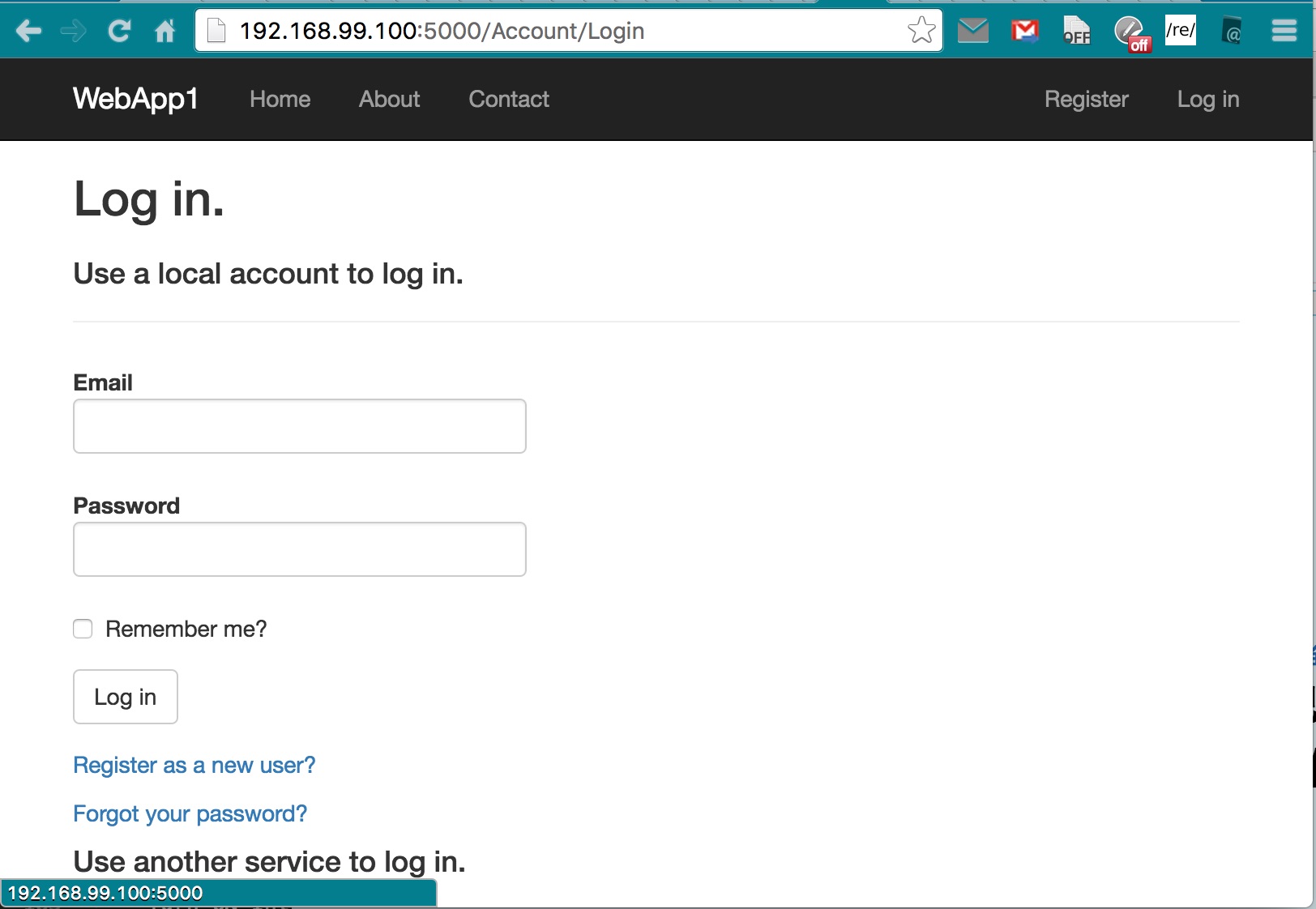
至于这个192.168.99.100就是用DOCKER_HOST环境变量里记的那个ip,一般就是这个,要不就是101。用Docker for Mac或者Docker for Windows的就用localhost就行了。
Visual Stido Code初见
可是就这样在docker容器里捣鼓也不是个事儿,不方便编码,调试。
就在本机安装了Visual Studio Code,又安装C# extension。 用Visual Studio Code打开工作目录,感觉不错,Controller里的代码也很漂亮,Java所没有的async/await方式很简洁,好。 Visual Studio Code还没怎么用,下次在看看。
据说是用Github Atom Editor使用的ELECTRON框架(Chrome+NodeJS)做的,而这东西又是受一个国人高手写的Node-WebKit启发的,Atom Shell vs Node-Webkit - 牛角堂。这个Atom的ELECTRON框架自然也是跨平台的,成了跨平台界面开发的新宠。
